
A Chrome extension that blocks keyboard and trackpad input on the current page, so a cat on the desk can't type, close tabs, or buy anything.
What it’s for, in plain terms
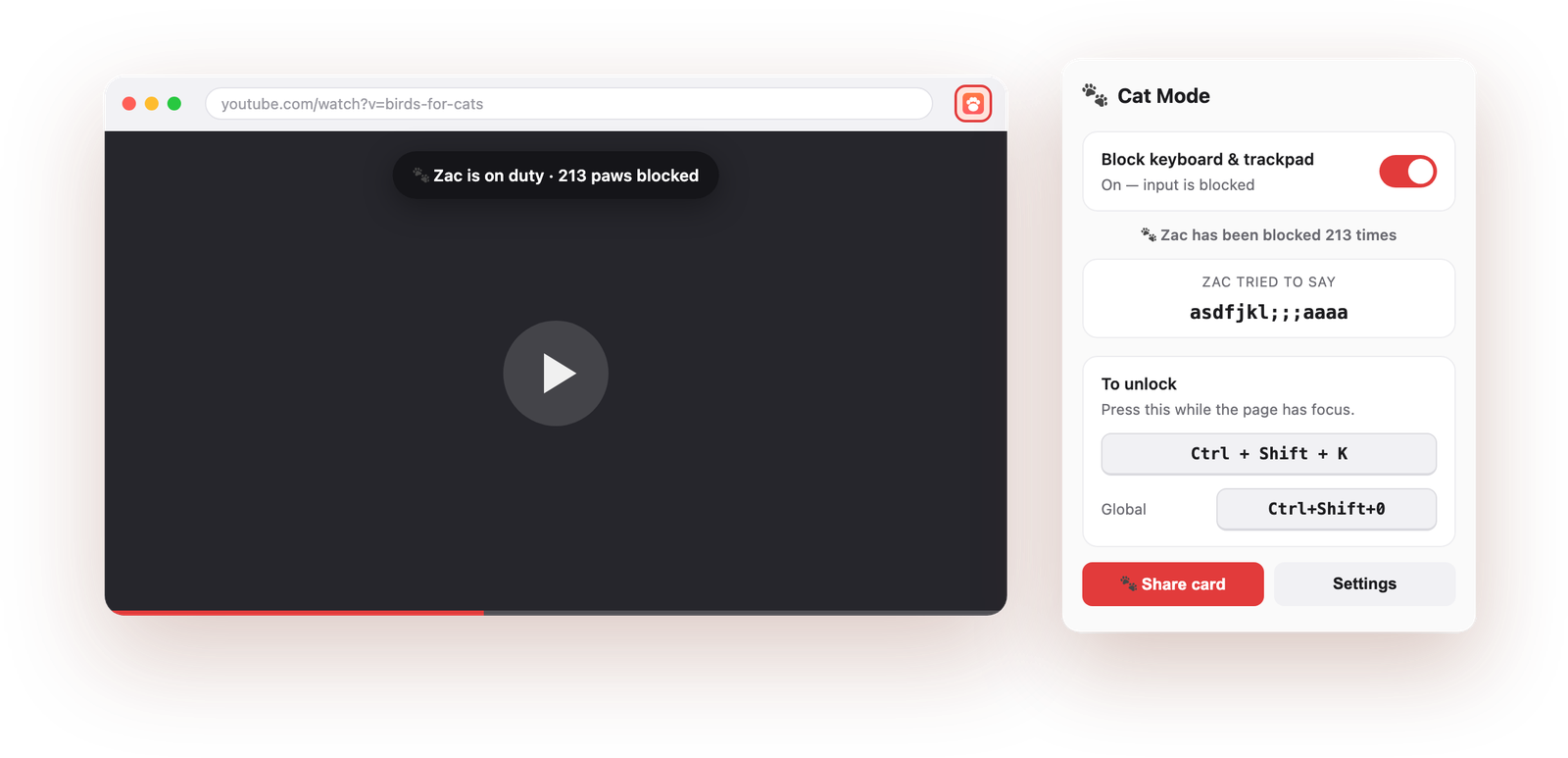
Cats sit on keyboards. Cat Mode makes the page ignore the keyboard and trackpad with one click, so the bird video keeps playing no matter what lands on the laptop.
Paws on the keyboard pause, skip and mute the video, and you spend the session leaning over to fix it. With Cat Mode on, none of those key presses reach the page at all.
Same problem, same fix: the page stops listening, the video doesn't.
Lock the input, walk away, and come back to the same video rather than a paused frame and four new tabs.
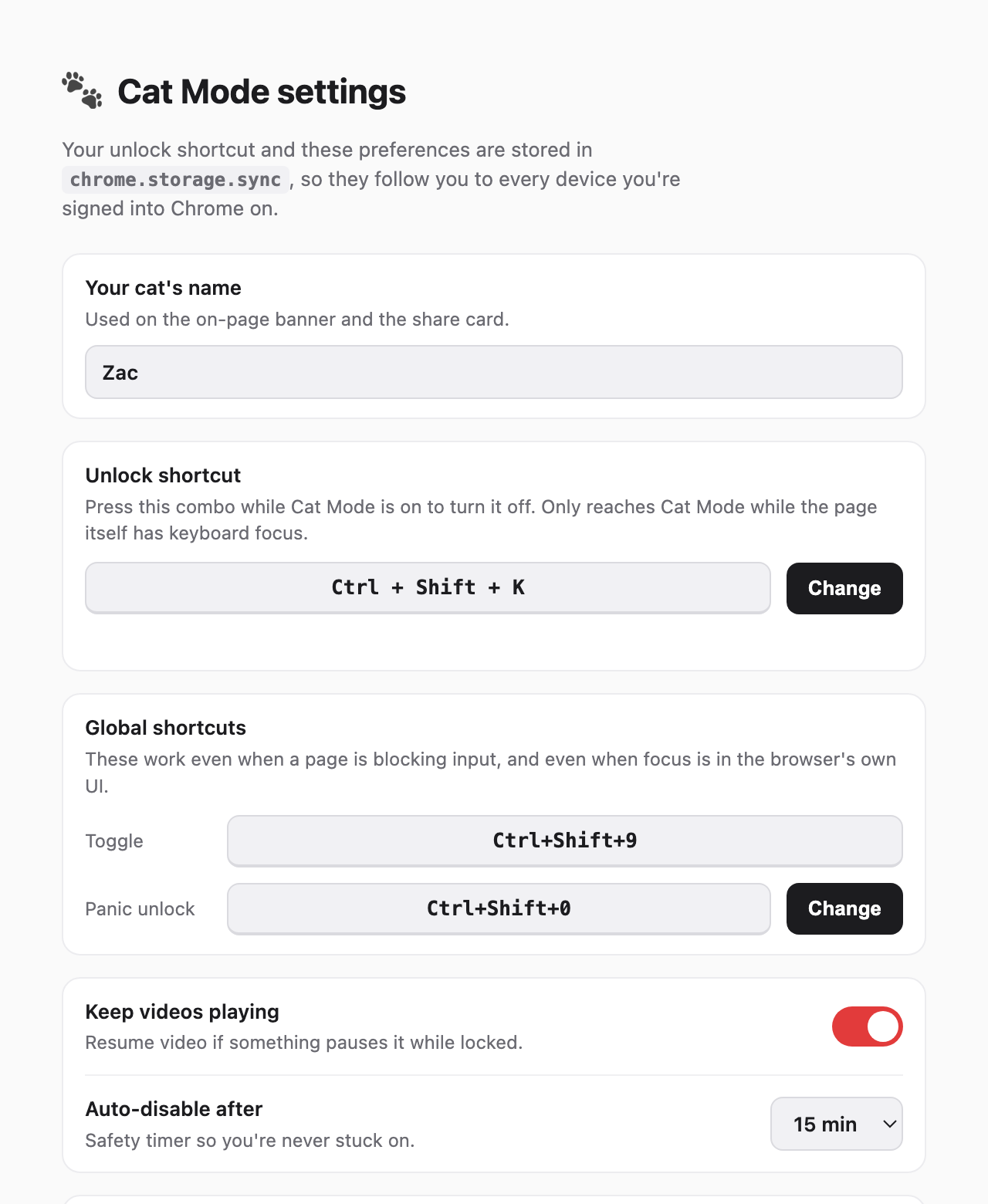
A deliberate chord, Ctrl+Shift+K, unlocks it. It is chosen because it's a shape a paw cannot make by accident, and the auto-off timer means you can never lock yourself out for long.
Getting the best out of it
- Set the auto-disable timer the first time you use itIt's the safety net that makes the lock comfortable to use, and it's the one setting people skip.
- Learn the unlock chord before you need itPress it once with the lock on, so your hands know it while a cat is standing on the keyboard.
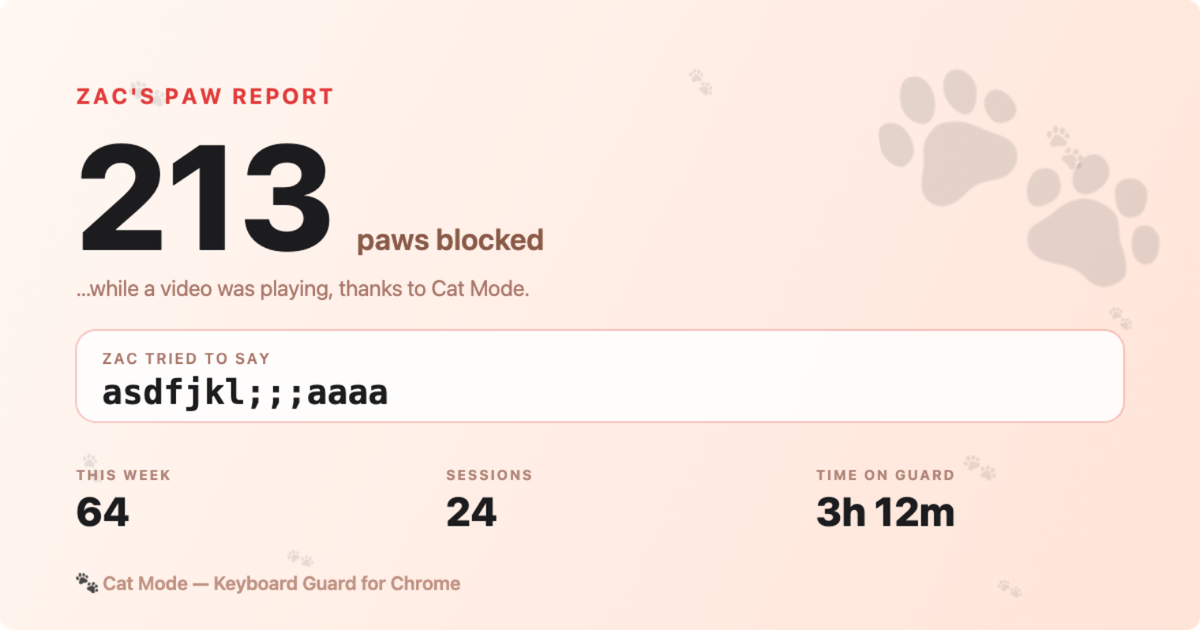
- Read the Paw Report afterwardsA tally of everything the cat tried to type. It's a joke, and it also tells you the lock was doing its job.
- Know the edge of itCat Mode works inside the web page, which is where a browser extension is allowed to work. It can't switch off the physical keyboard, so system-level keys, and things like the volume row, still belong to macOS.
What it does
Blocks keyboard and trackpad input on the current page.
Lock the input, not the movie. Built for cats who sit on spacebars.
A chord (Ctrl+Shift+K) you can type even when everything else is blocked.
A safety net so you're never stuck locked.
A little tally of everything the cat tried to type.
Preferences sync via your Chrome account to every machine.
Screenshots
 ueue
ueue
 Prism
Prism